


Zoho Books starts at £0, but the right budget depends on more than the headline plan. A UK service business should allow for the number of people who need access, transaction volume, receipt scanning, payment provider charges and the work involved in setting up reliable sales-to-finance handovers. Zoho lists subscriptions per organisation, with prices exclusive of local taxes. The figures below were checked against Zoho's UK pricing page on 28 September 2026 and should be checked again before purchase.
The quick answer
If one person needs to send a modest number of invoices, the Free plan may be enough. Standard brings three included users and more capacity. Professional is the point to examine if you need vendor bills, multi-currency transactions or inventory. Premium adds budgeting, fixed assets and cashflow forecasting. Elite and Ultimate are aimed at more advanced inventory and analytics needs. The plan only becomes good value when it covers the actual workflow your team needs. Zoho publishes a detailed plan comparison, so confirm the exact feature and limit before committing.
| UK plan | Monthly billing | Price per month, billed annually | Included users | Annual invoice limit |
|---|---|---|---|---|
| Free | £0 | £0 | 1 user + 1 accountant | 1,000 |
| Standard | £12 | £10 | 3 | 5,000 |
| Professional | £24 | £20 | 5 | 10,000 |
| Premium | £30 | £25 | 10 | 25,000 |
| Elite | £99 | £85 | 10 | 100,000 |
| Ultimate | £199 | £165 | 15 | 100,000 |
These are per organisation, not per person, and exclude local taxes. User counts come from Zoho's UK plan comparison, and invoice limits from the UK pricing FAQ.
What each plan changes for a service business
Free can be a useful starting point. It includes quotes, invoices, expenses, recurring invoices, reminders, a customer portal and UK Making Tax Digital (MTD) VAT filing. It allows one user plus an accountant, up to 1,000 invoices and 1,000 expenses a year, and 50 receipt autoscans a month. The detailed comparison lists one bank or credit-card account and third-party bank feeds on Free. Check your bank connection; Zoho describes manual statement import as a fallback.
Standard is about team access and headroom. Three users are included, with limits of 5,000 invoices and 5,000 expenses a year. Zoho highlights bank feeds for multiple bank accounts, progress invoicing, recurring expenses, custom fields and reports, transaction period locking and API access. Those changes can matter more to a small agency than the difference between £0 and £10 a month. Source: Zoho Books UK pricing.
Professional is worth assessing when the work becomes more complex. Five users are included. Zoho lists vendor bills and payments, purchase orders, multi-currency transactions, inventory tracking, retainers and business workflows. A service company with overseas clients or formal purchasing may need these capabilities. Source: Zoho Books UK pricing.
Premium, Elite and Ultimate address narrower needs. Premium adds budgets, cashflow forecasting and fixed assets. Elite adds advanced inventory such as warehouses and serial tracking. Ultimate adds advanced analytics. Check which functions your company will actually use. Source: Zoho Books UK pricing.
The costs beyond the plan
The subscription is only the first line of the budget.
| Cost item | What to check |
|---|---|
| Extra users | Paid plans can add users. Zoho lists £2.50 per extra user per month, or £2 per user per month billed annually. Its Free plan does not support this add-on. |
| Receipt scanning | Included scans vary: 50 a month on Free or trial, 200 on Standard and Professional, and 1,000 on Premium and above. An extra 50 scans cost £8 per month, or £6.50 per month billed annually on eligible paid plans. |
| Online payment charges | Zoho Books can connect to providers such as Stripe. Zoho says its Stripe integration adds no Zoho charge, but the provider's transaction charges still apply. |
| Other systems | A linked CRM, subscription billing or specialist expense process may require separate products, licences or configuration. Check the actual bundle and edition rather than assuming every Zoho app is included. |
| Implementation | Allow time or a separately agreed fee for data clean-up, tax settings, bank connection, invoice templates, approval rules, testing, training and handover. This is project work, not part of Zoho's published subscription price. |
The add-on prices and scan allowances are from Zoho's UK pricing and FAQ. Add-ons are generally unavailable on Free, except CT600 and Final Accounts.
A visual guide to the first-year budget
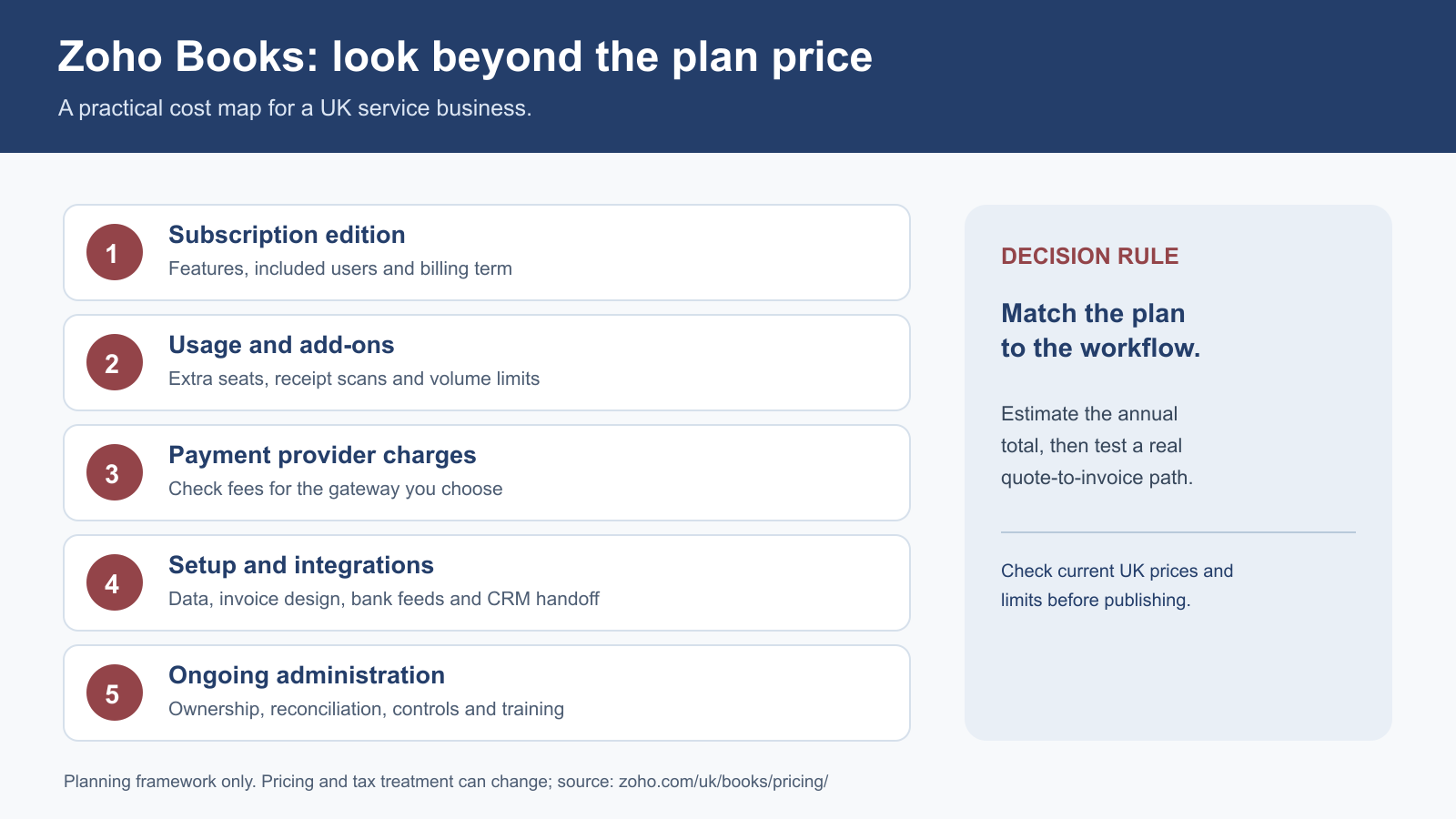
Estimate each of these five costs, then test a real quote-to-invoice path. The figures in the plan table are only the subscription component. Check the current UK prices and limits before publishing a budget.
Worked example: a five-person consultancy
Suppose five people need regular Books access, the business issues UK invoices and occasionally invoices in another currency. Zoho's Professional plan includes five users and multi-currency transactions. At the prices checked here, that is £240 for a year when billed annually (£20 × 12), or £288 over 12 months on monthly billing (£24 × 12), before applicable taxes and any other costs. Source: Zoho Books UK pricing.
If only three people need access and no Professional-only capability is required, Standard is £120 for a year when billed annually (£10 × 12). Compare an additional user's cost and permissions with an upgrade before changing tiers.
Does the Free plan cover UK VAT?
Zoho lists VAT tracking and MTD VAT filing on the Free plan. That is relevant because HMRC says:
“Making Tax Digital for VAT requires all VAT-registered businesses to keep records digitally and file their VAT Returns using software.”
HMRC also sets out limited exemptions. Check that your records, tax treatment and filing authorisation are correct. For VAT registration questions, use HMRC's current guidance and professional advice as appropriate.
How to choose without overbuying
- Map the work: trace a quote through approval, invoicing, payment and reconciliation.
- Count users and volume: include people who create, approve and report, plus yearly invoices and expenses.
- Check feature gates: verify bills, multi-currency, reporting and controls in the live comparison.
- Test the bank and gateway: check connection and a manual import fallback.
- Price implementation: allow for data, configuration, exceptions and training.
Frequently asked questions
Is Zoho Books really free in the UK?
Zoho publishes a £0 Free plan. It has limits, including one user plus an accountant, one bank or credit-card account and up to 1,000 invoices a year. See the live UK pricing and plan comparison before signing up.
Does the Free plan include automatic bank feeds?
Zoho's plan comparison marks third-party bank feeds as available on Free, subject to its one-account limit. A specific bank may not be supported; Zoho's banking help explains manual statement import as a fallback.
Is the listed price per user?
No. Zoho labels it a price per organisation per month, with a set number of included users. An additional user is an add-on on eligible paid plans. Source: Zoho Books UK pricing.
Is VAT included in the subscription price?
Zoho states that its UK page prices are exclusive of local taxes. The tax shown on your invoice may depend on your billing circumstances; use the checkout and invoice for the amount payable. Source: Zoho Books UK pricing.
Which plan suits a small service business?
Start with the users, invoice volume and work to be done. Free may suit a solo operation. Standard has three users and higher limits. Look at Professional if vendor bills or multi-currency are essential. Verify the live features and limits against your own process before choosing.